
Trouble Posting Images

BArnold

Full Member
Messages
35
Reaction score
60
Location
Thomasville, GA
First name
Bill
OK, I'm a newbie here. I haven't run into this type of issue before anywhere. Most of my data is stored on my home office computer. I access it on my shop desktop via wi-fi. If I create a thread and attempt to upload an image across the wi-fi connection, I get the error message below. I captured the message and saved it on my shop computer and it uploaded OK. Anything I try to upload across my wireless system gives me this message. I don't have this issue on other forums. Thanks for your help.
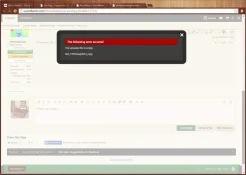
WB_post_issue_1.webp

WB_post_issue_1.webp
 
Bill I'm not sure why you're having this problem. I will ask our tech to look into it. He lives in England so on a different schedule and also a very busy guy but he usually gets on our problems promptly. I apologize for this inconvenience.
 
  • Thread Starter Thread Starter
  • #4
Thanks for looking into this. I'm not complaining, just reporting what happened. Since I know what I need to do now, I'll deal with it.
 
What browser are you using to try and upload the image?
 
  • Thread Starter Thread Starter
  • #6
I used Firefox and Chrome - same issue.

As a test, I just uploaded the photo below via my wi-fi and it worked fine.

aBed-HB-01-cropped.webp

aBed-HB-01-cropped.webp
 
DSC_8372.webp
I've just uploaded that image from my NAS over wifi and it's uploaded fine.

DSC_8372.webp
 
  • Thread Starter Thread Starter
  • #8
Update:

I did some further testing on all three of my computers. I need to correct what I said earlier. Firefox seems to be OK. The error message I'm getting is only when I use the Chrome browser. At least that's what I'm experiencing now.
 
Back
Top